
What's in the download
You get
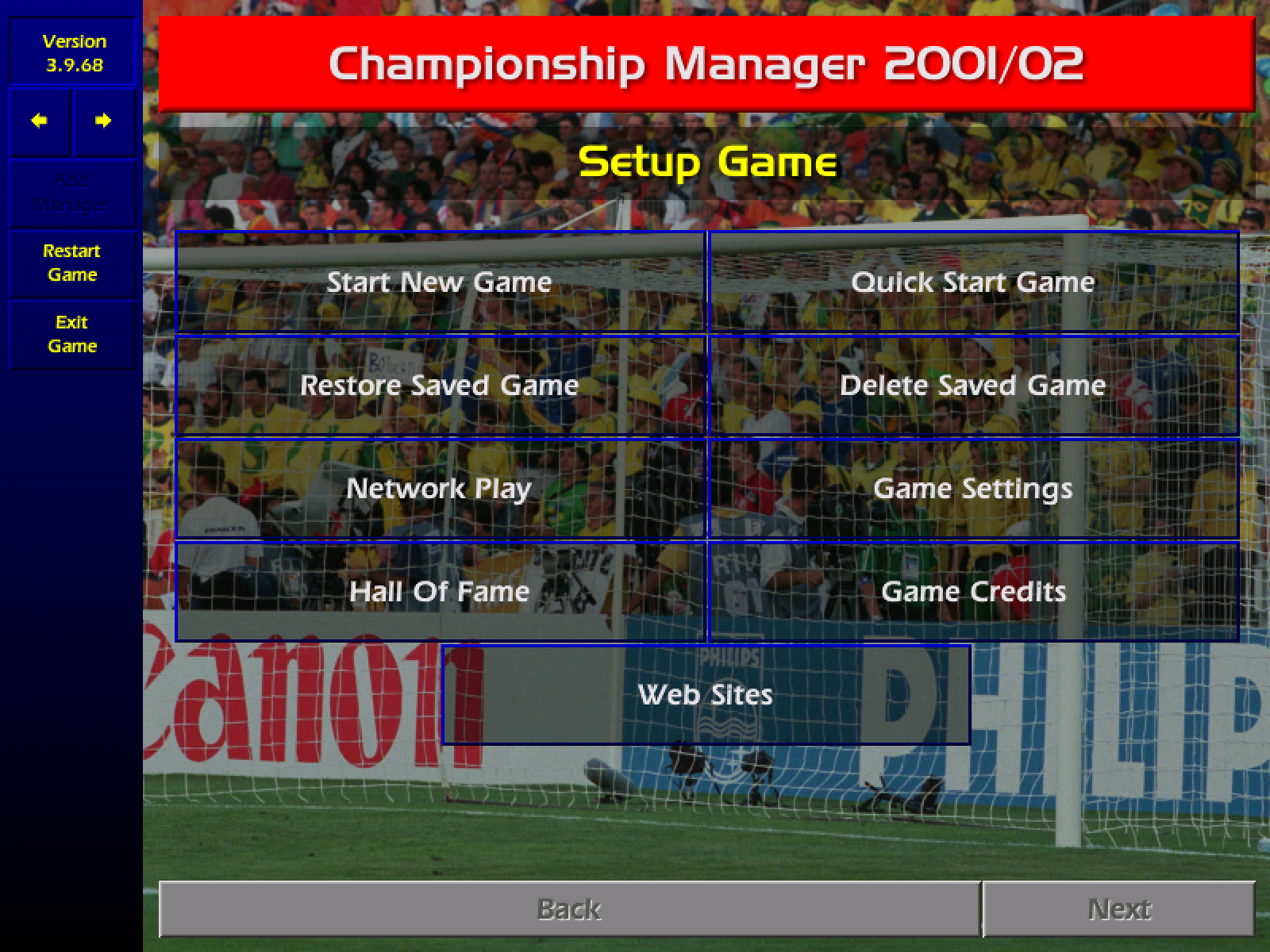
- The whole game from the 2008 free release, with the last official patch, 3.9.68.
- The original 2001/02 database, with no fan updates.
- Widescreen at 1280 × 800, in a window you can resize. The old 800 × 600 layout is one setting away.
- One Mac app for Apple silicon and Intel, macOS 11 or later.
- An installer for 64-bit Windows 10 and 11.
- Not in this version yet: network play and printing.
New in 0.2.0
Added
- The game's own sounds. They stop when the window is in the background.
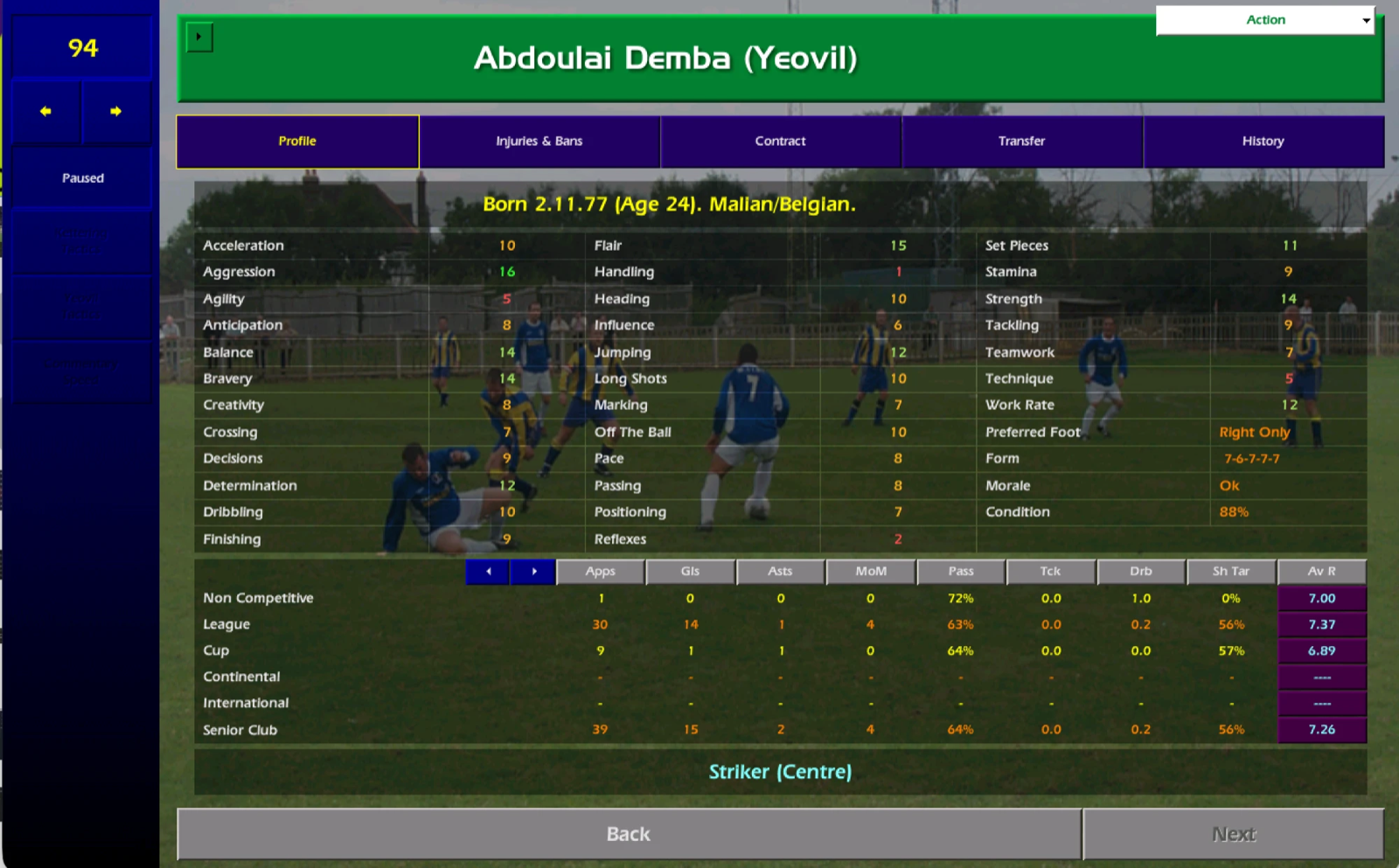
- Attribute numbers coloured by value: red for 1 to 5, amber for 6 to 10, light green for 11 to 15 and bright green for 16 to 20.
- During a match, positions and condition next to the match rating on the tactics screen, and condition for both teams in Player Ratings. Widescreen only.
- Click a player's or club's name to open their profile.
- Space to continue, Escape to close a popup, and the mouse back button for Back. On a Mac, Cmd+[ is Back and Cmd+F is full screen.
- Sharper text, faster days on holiday, and saves in any folder you choose, for example iCloud Drive.
- Each one can be switched off in settings.txt, and none of them change match results.
Coming next
Version 0.3.0
- Your assistant can pick the team for you.
- Compare two players side by side.
- A squad depth chart.
- A best XI view.
Every new feature can be switched off, and none of them change match results. Follow progress on GitHub.
How to install
Mac
- Download the .dmg file and open it.
- Drag the game onto the Applications folder.
- Open the game. If macOS says it cannot check it, go to System Settings, then Privacy & Security. Scroll down and click Open Anyway.
Windows
- Download the Setup.exe file and run it.
- If a blue box says "Windows protected your PC", click More info, then Run anyway.
- Click through the installer. The game appears in the Start menu and on the desktop.
Questions
Is this official?
No. It is a fan project with no link to Sports Interactive, SEGA, Eidos or Square Enix. Eidos made the game free to download in 2008, and this download includes those game files.
How does it run on a modern computer?
Every instruction of the original Windows program is translated into C and compiled for your machine. No emulator runs underneath, so the match engine and the rest of the game are the ones from 2002.
Where are my saved games?
On a Mac: ~/Library/Application Support/cm0102. On Windows: %APPDATA%\cm0102. A new release does not change this folder.
How do I get the 800 × 600 layout back?
Open settings.txt in the save folder and change the line to display = classic. Then start the game again.
Which settings can I change in version 0.2.0?
Open settings.txt in the save folder. Each option has one line, and a switch takes on or off. The defaults are:
display = widescreendraws the game at 1280 × 800.classicdraws it at 800 × 600.space_to_continue = onlets the space bar press Continue Game.shortcuts = onadds keys for Back, for closing a popup and for full screen.sharp_picture = onscales the picture to the window in whole pixels, so that text stays crisp.save_folder =is empty by default, which uses the normal folder. Set it to keep saves somewhere else, for example in iCloud Drive.sound = onplays the sound.offmutes the game.clickable_names = onlets you click a player or club name to open its profile.attribute_colours = oncolours attribute numbers by value.faster_days = onmakes days pass faster while you are on holiday.match_columns = onshows position, condition and match rating together on the match screens. It works in widescreen only.
Is the database updated?
No. It is the 2001/02 season with the last official patch, 3.9.68. Fan patches and newer databases are not included.
Something does not work
Open an issue on GitHub. Say which computer you use and what you clicked before the problem.